What Is a Document Parser? How It Powers Document Data Extraction
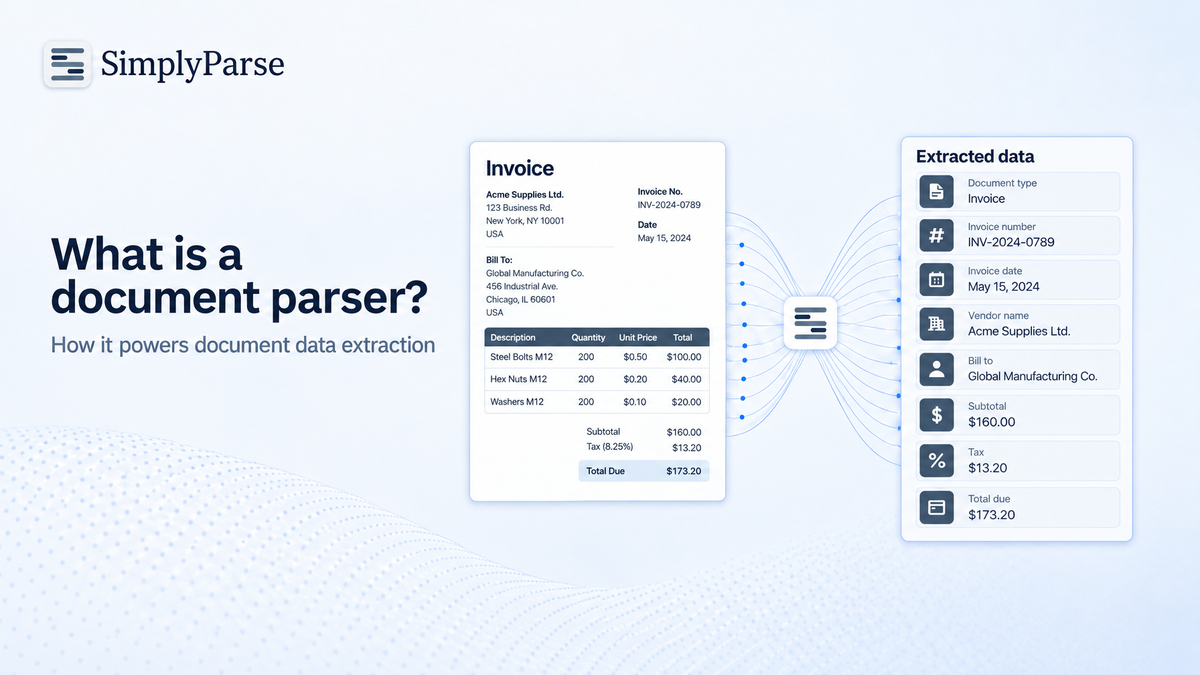
What is a document parser?
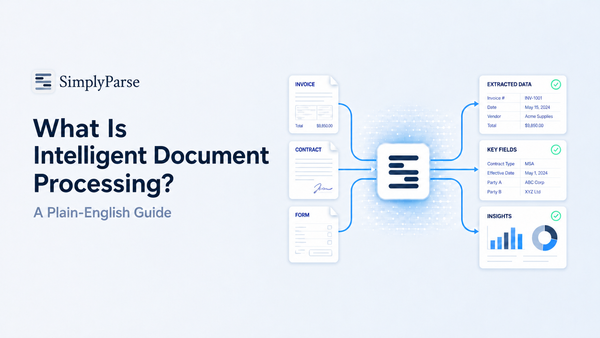
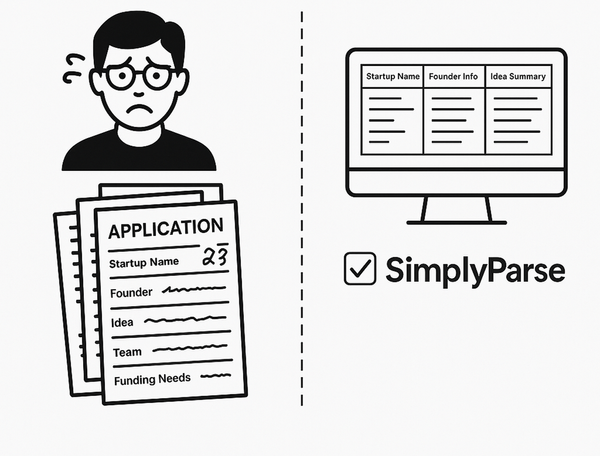
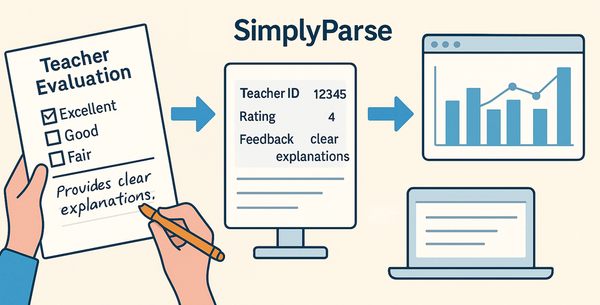
A document parser is software that reads a document and breaks its content into structured, labeled data. It takes something built for human eyes, such as a PDF invoice or a scanned form, and outputs fields like “invoice number,” “date” and “total” that a spreadsheet, database or application can use directly.
In short, a document parser turns documents into data. The rest of this article explains how parsers work, the main types, and how parsing relates to document data extraction.
What is document data extraction?
Document data extraction is the process of pulling specific information out of documents and converting it into a structured format. A document parser is the tool that performs it.
The two terms are closely linked:
- Document data extraction is the goal: getting the right data out.
- A document parser is the engine: the software that reads, interprets and outputs it.
When people search “what is document data extraction,” they usually want to know how to stop copying information out of PDFs by hand. Parsing is the answer.
Why documents need parsing at all
Documents store information in a way that looks organized to people but is chaotic to computers. A PDF does not know that “₹12,400” next to the word “Total” is the total. It only knows there are characters at certain coordinates on a page.
There are three broad kinds of data a parser has to deal with:
Most business documents are semi-structured. Every invoice has a total, but every supplier puts it somewhere different. That is exactly where a good document parser earns its keep.
How does a document parser work?
Most modern document parsers follow the same basic sequence.
- Read the file. The parser opens the PDF, image, Word file or email attachment. For native PDFs it reads the embedded text layer directly.
- Run OCR if needed. For scanned pages or photos, optical character recognition converts pixels into text.
- Understand the layout. The parser detects blocks, headings, key-value pairs, tables and columns, so it knows which text belongs together.
- Identify the fields. Using rules, templates or AI models, it decides which text is the invoice number, which is the vendor, and which rows are line items.
- Output structured data. Results are delivered as JSON, CSV, Excel, or sent through an API or webhook to another system.
Steps 3 and 4 are where parsers differ most in quality.
Types of document parsers
Not all parsers work the same way. There are four main types.
1. Rule-based (zonal) parsers. You define fixed zones or regular expressions, such as “the date is in the top right corner.” They are fast and predictable but break whenever a layout changes.
2. Template-based parsers. You build one template per document layout. This works well when you receive a small number of consistent formats, but maintaining dozens of templates becomes a job in itself.
3. OCR-based text parsers. These convert scans into raw text and then apply rules. They solve the “scanned document” problem but still need rules to find specific fields.
4. AI-powered parsers. These use machine learning and large language models to understand context. They recognize that “Amount Payable,” “Grand Total” and “Balance Due” all mean the same thing, so they work on new layouts without a template.
For most businesses handling documents from many senders, AI-powered parsing is now the practical choice.
Document parser vs OCR
This is the most common point of confusion.
- OCR answers: “What characters are on this page?”
- A document parser answers: “What does this page mean, and which values matter?”
OCR output is a block of text. Parser output is labeled data. Many parsers include OCR as one step, but OCR on its own is not a parser.
Real-world uses of document parsing
Document parsers show up anywhere teams move data out of documents and into systems.
- Finance: parsing invoices and receipts into accounting software.
- Operations: reading purchase orders and delivery notes.
- Banking: extracting transactions from bank statements.
- Recruitment: parsing resumes into applicant tracking systems.
- Legal: pulling dates, parties and clauses from contracts.
- Developers: converting documents into JSON for apps and AI workflows.
What to look for in a document parser
Before choosing a tool, check these points:
- Accuracy on your documents, not just on demo files.
- Support for scans and native PDFs in the same workflow.
- Table and line-item extraction, which many basic tools skip.
- No-template setup for varied layouts.
- Output options: Excel, CSV, JSON and API.
- A free tier so you can test before paying.
Try a document parser on your own files
SimplyParse offers ready-made parsers for common document types, plus the option to define your own fields. Upload a file, review the extracted fields, and export the result. A free document parser tier lets you test it on real documents before you commit.
FAQ
What is a document parser used for?
It converts documents such as invoices, receipts, forms and contracts into structured data for spreadsheets, databases and apps.
What is document data extraction?
It is the process of pulling specific information out of documents and turning it into a structured, usable format.
Is a PDF parser the same as a document parser?
A PDF parser is a document parser focused on PDFs. Many document parsers also handle images, Word files and emails.
Can a document parser read scanned documents?
Yes, if it includes OCR. AI-powered parsers combine OCR with context understanding for better accuracy.
Do I need coding skills to use a document parser?
Yes we need a coder to connect API with software